Representative image

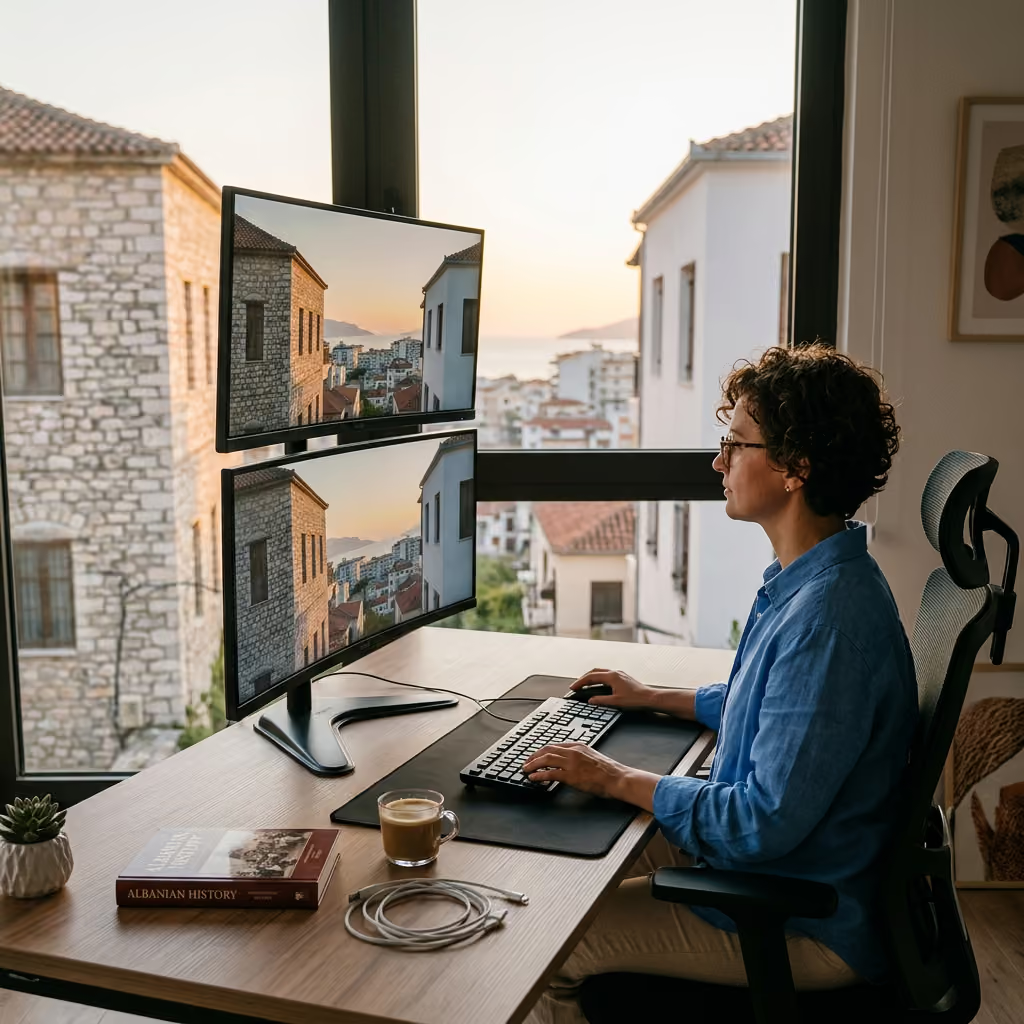
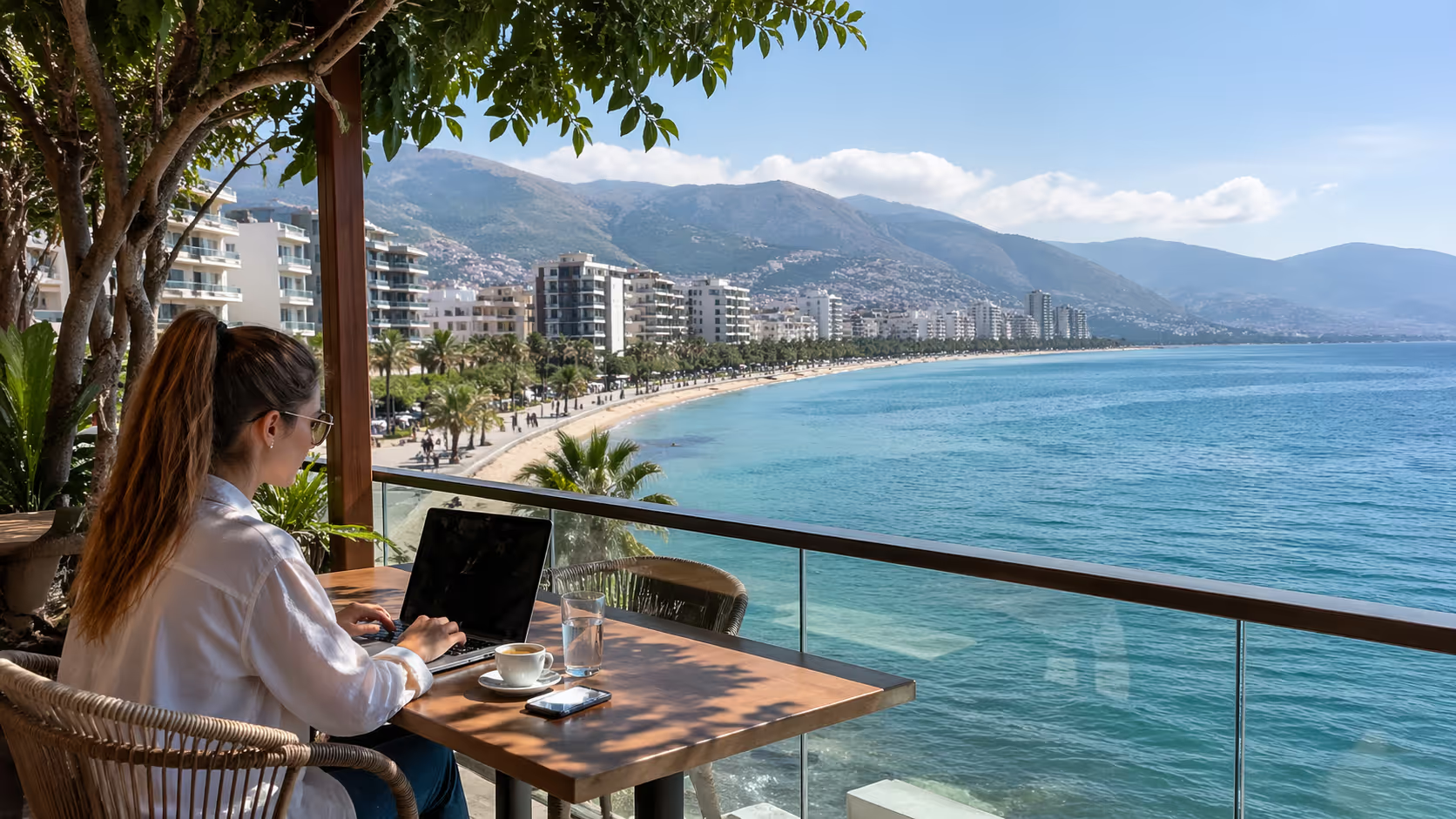
One portable monitor combined with a standard laptop setup allows digital nomads to work efficiently from small apartments across coastal Vlorë.





The best multi-monitor setup in a Vlorë rental is often not the biggest one. It is the one you can set up in one hour, run from two wall sockets, pack flat, and remove without losing your deposit.
Yes, a serious dual or triple-screen workflow is realistic in Vlorë apartments, Airbnbs, and month-to-month rentals. The winning formula is portable screens, clamp mounts, USB-C hubs, careful power planning, and a desk plan that respects small coastal apartments.
Vlorë looks easy for remote work from the outside. You see the Lungomare, the sea, the cafés near Uji i Ftohtë, and rental prices that can feel fair next to Western Europe.
Then you open the door to your studio and see the truth. The table is 80 cm wide. The only chair is a dining chair. The nearest socket is behind the bed.
This is where your monitor plan needs to be practical. A Vlorë rental is not a permanent home office. It is a flexible living space that may need to be a work desk at 9:00, a lunch table at 13:00, and a video call corner at 17:00.
Most short stays around the promenade, Skelë, and Uji i Ftohtë are set up for guests. They are not set up for developers, designers, analysts, traders, editors, or founders who need screen space for real work.
That does not mean you should settle for laptop-only work. Research cited by monitor rental companies links dual-screen work with major gains for data-heavy tasks, with some claims reaching up to 42 percent. Microsoft Research has also studied larger display space and found clear gains for common office tasks when people have more room to view windows.
The local lesson is simple. You do not need a huge desk to get a real upgrade. You need a setup that matches the apartment.
If you are staying one to three weeks near the beach area, bring one portable monitor. A 15.6 inch USB-C display is the safest choice. It fits in a backpack and can sit beside your laptop on almost any table.
If you are staying one to three months in a Skelë or city center apartment, build a stronger dual-screen setup. A laptop on a riser plus one 24 inch or 27 inch monitor can work well if the desk is at least 100 cm wide.
If you are staying three to six months in a hillside one-bedroom, a triple-screen setup becomes realistic. Use one main 27 inch monitor and one or two portable displays. Do not plan this for a small studio with a glass dining table.
A promenade studio is best for a laptop plus portable monitor. Space is tight, sea views raise summer prices, and furniture may be decorative rather than useful.
A Skelë apartment often gives better odds for a real table. You are closer to shops, service points, and local transport. This area can be better for daily work than the beachfront.
A Uji i Ftohtë rental can be great for calm mornings and sea access. It can also mean more hills, fewer quick errands, and older building layouts in some blocks.
A city center flat near Sheshi i Flamurit gives you better access to repair shops, stationery stores, and basic electronics. You may trade sea views for a more practical work base.
A hillside apartment above the main road may offer more floor space. Check internet quality and outlet placement before you commit.
Do not start with the monitor. Start with the room.
A good Vlorë setup begins with a tape measure or a measuring app. You need to know the desk width, desk depth, table thickness, outlet count, wall distance, window glare, and chair height.
Many small rentals in coastal cities use compact tables. A common work surface may feel close to 80 cm by 50 cm. That is enough for a laptop and portable monitor. It is not enough for two large screens, a full keyboard, a mouse pad, and a coffee cup.
Measure the width first. Under 80 cm means portable only. Around 100 cm gives you space for a laptop stand and one external screen. Around 120 cm gives you room for a stronger dual setup.
Measure the depth next. Under 50 cm can make a 27 inch monitor feel too close. For eye comfort, aim for roughly 50 to 70 cm between your eyes and the screen.
Check the table edge. Clamp arms need a firm edge. Thin glass tables, rounded edges, and hollow tables are bad choices for clamp mounts.
Look under the table. Some rental tables have metal frames that block clamps. Others have drawers that stop arms from gripping.
Albania uses Type C and Type F plugs, with 230V supply. That works well with most European chargers and many modern laptop bricks. Travelers from the UK, US, Canada, and Australia need proper adapters.
Count the outlets near the work area. Many rentals have two to four usable sockets in the main room. A monitor, laptop, phone, lamp, router, and heater can fill them fast.
A 27 inch monitor may draw around 50W. A laptop and dual monitors can sit near 150W in normal work use. Add lights, air conditioning, and chargers, then a messy power strip becomes a risk.
Do not run your whole workday from a weak travel adapter. Use a grounded EU power strip with surge protection when possible. Keep high-draw devices on separate sockets if the apartment has older wiring.
Vlorë summers can reach around 30°C. Apartments near the Lungomare may get direct sun through large windows. That looks beautiful at breakfast and brutal on a screen at 14:00.
Place your monitor side-on to the window when you can. Avoid setting the screen with the sea-facing window behind you. Video calls will wash out your face, and screen glare will tire your eyes.
Humidity matters near the coast. Keep cables off the floor near balcony doors. Salt air and cheap connectors do not age well together.
A small fan can help more than people expect. It keeps you cool and moves warm air away from the laptop. That can reduce fan noise during calls.
The most reliable Vlorë setup is a laptop plus one portable monitor. It works in a studio, on a dining table, and in a rental where you cannot change furniture.
A portable 15.6 inch monitor is the sweet spot. It gives you enough screen space for chat, docs, dashboards, code preview, or email. It does not force you to reorganize the apartment.
The micro-apartment setup shown in the YouTube example from the research uses a raised laptop and a portable second screen to save table space. That pattern is exactly what works in many Vlorë rentals.
Put the laptop on a stand. A Roost-style stand or foldable aluminum riser helps lift the screen closer to eye level. This matters more than it looks.
Use a separate keyboard and mouse. Once the laptop is raised, typing on the built-in keyboard becomes awkward. A compact Bluetooth keyboard is enough for most people.
Place the portable monitor beside the laptop if the table is wide enough. If not, stack it below or above with a small stand. Vertical stacking saves horizontal space and keeps the table useful.
Keep the lower screen for lower-focus work. Put Slack, email, reference notes, or logs there. Keep your main screen at eye level for deep work.
Choose USB-C with power and video through one cable if your laptop supports it. This cuts cable mess fast.
Look for a built-in kickstand or a strong folding case. Cheap folding cases can slip on glossy rental tables. A separate tablet stand may be more stable.
A 15.6 inch 1080p screen is enough for many remote workers. A 4K portable screen sounds nice, yet it can drain more power and create scaling issues.
If you do design or video work, color quality matters more. Test the screen before a long project. Do not trust product photos alone.
The best small-space setup can disappear at dinner. That matters in a 30 to 50 m² apartment.
Use a cable pouch for the monitor cable, HDMI adapter, charger, and mouse. Put it in the same drawer every night. You will save time each morning.
Use a foldable stand rather than a heavy metal riser if the desk is the dining table. Pack-flat gear makes a shared apartment feel less like a storage unit.
Do not leave clamp arms attached to a weak table. If the table wobbles, use freestanding stands instead.
A 24 inch or 27 inch monitor can be worth it if your work is screen-heavy. Developers, analysts, editors, and product managers often feel the jump right away.
A full-size external monitor is less friendly for nomads. It is harder to fly with, harder to store, and harder to sell fast. In Vlorë, it can still make sense for stays of one month or longer.
The key rule is no drilling. Rental deposits in Vlorë can be meaningful, and wall damage creates stress at checkout. Use clamp mounts, freestanding arms, and VESA stands instead.
A clamp arm is the cleanest option if the table is strong. It lifts the monitor off the table and frees space for your keyboard, notebook, and coffee.
Check the clamp depth before buying. Many arms need a table edge that is flat and strong. A decorative dining table may fail this test.
A freestanding VESA stand is safer for uncertain tables. It takes more desk space, yet it avoids clamp marks. It works well on thicker wooden tables.
A wall mount is not a good rental plan. Even small holes can cost you money or create tension with the host. Save wall mounts for owned apartments.
A 24 inch monitor is easier in a small apartment. It works on a 100 cm desk and feels less overpowering. It is a good fit for Skelë rentals with modest furniture.
A 27 inch monitor is better for spreadsheets, design timelines, coding, and split windows. It needs more distance from your eyes. It can feel huge on a shallow table.
A 32 inch monitor is usually too much for Vlorë short stays. It can work in a larger hillside apartment with a deep desk. For most rentals, it creates more problems than it solves.
If you plan to buy locally or bring from Tirana, check the stand shape. Wide V-shaped monitor stands waste table space. A simple rectangular stand is better.
Use felt pads or a rubber mat under monitor stands. Many rental tables scratch easily. A small mark can become an argument at checkout.
Put a thin wood board under a clamp if the table surface is soft. This spreads pressure and reduces marks.
Take photos before you set up. Photograph the table, wall, sockets, and existing marks. Store them in your phone with the date visible.
Ask the host before using any clamp on delicate furniture. A simple message can save a dispute. Mention that you will use padding and will not drill.
A beautiful multi-monitor desk fails fast if power is messy. Vlorë rentals vary a lot by building age, renovation quality, and host habits.
Some apartments have modern wiring and many sockets. Others have one loose wall outlet behind a sofa and a router balanced on a shelf. You need a power plan before your first Monday call.
Start with one grounded EU power strip. Pick one with a switch and surge protection if available. Avoid the cheapest strip if your laptop is your income source.
Use USB-C Power Delivery for the laptop and portable monitor when possible. One strong charger with two ports can reduce brick clutter.
Keep the router on a different socket if the layout allows. If one strip fails or gets unplugged, your internet may stay alive.
Label your cables if you travel with many devices. A small tape label saves time when you pack.
Vlorë can have occasional power cuts or brief brownouts. Many residents work around them with patience. Remote workers on client calls need a backup plan.
A small 500VA UPS can keep a router and laptop charger alive for a short period. It is not meant to run a full workstation all afternoon. It gives you time to save work, switch to mobile data, or finish a call.
If you use a desktop PC, your UPS needs are higher. Most nomads should avoid desktops in rentals. A laptop-based setup is safer and easier.
If you cannot find a UPS in Vlorë, check Tirana electronics sellers or ask local groups. Tirana is the larger tech market. Some items are easier to source there.
Cable clutter is not only ugly. It makes small apartments harder to clean and easier to trip in.
Use Velcro ties rather than plastic zip ties. You will change the setup often. Reusable ties fit rental life better.
Run cables along the back edge of the table. Use removable clips only on surfaces that will not peel. Test one clip in a hidden spot first.
Keep power cables away from balcony door tracks. Sand, water, and foot traffic damage cables fast near the beach.
Use one hub with HDMI, USB-A, USB-C, and Ethernet if your laptop needs it. A good hub reduces adapter chains. Adapter chains are the enemy of stable video calls.
Older buildings can be charming, but wiring may be uneven. If a socket feels loose, stop using it.
Do not daisy-chain multiple power strips. Do not run a heater, monitor stack, laptop, and kettle from one outlet. The kettle is often the highest draw in the room.
If lights flicker when the air conditioner starts, move your workstation load to another socket. Tell the host if the issue repeats.
A multi-monitor setup is not dangerous on its own. Bad cables, weak adapters, and overloaded strips create the problem.
Your best gear strategy depends on length of stay. Vlorë is not a place where every niche tech item is on a shelf five minutes away.
For one or two weeks, bring your own portable monitor. For one to three months, buy or borrow a larger monitor if your work needs it. For six months or more, a proper desk setup can be worth the effort.
Monitor rental companies such as Rentex and Rentacomputer show that short-term screen rental is common for business, events, and temporary work needs. Their models are useful even when local Albania supply is thinner. You can borrow the same logic, pay for flexibility when you do not want to own gear.
Bring gear if it fits in cabin luggage and you know you need it daily. A portable monitor, laptop stand, compact keyboard, mouse, HDMI cable, and USB-C hub make sense.
Bring your own if your work pays well and downtime costs money. Searching for adapters during a deadline week is not fun.
Bring gear if you work with a locked-down company laptop. Some company machines reject cheap docks or need approved adapters. Test before travel.
Bring a travel power strip only if it is rated for 230V and accepts your plugs safely. Cheap universal strips can be a weak link.
Buy locally if you stay longer and need a full-size monitor. Tirana will usually offer more choice than Vlorë. Vlorë can cover basic needs, but not every model.
A used 24 inch monitor can be a smart buy for a three-month stay. It may be easier to resell than a niche ultrawide.
Ask in expat and local groups before buying new. People leave Albania, upgrade gear, or clear apartments. Used monitors often move through community chats.
Test the monitor with your own laptop before paying. Check HDMI, USB-C if present, brightness, dead pixels, and stand stability.
Shipping can work for small items. Portable monitors, arms, hubs, and cables are easier than large screens.
Large monitors can create customs costs, delays, and damage risk. The research notes that import costs can reduce savings. For short stays, shipping a big monitor may not be worth the stress.
If you ship, give yourself buffer time. Do not order a mission-critical adapter to arrive the day before a client launch.
Keep invoices and tracking details. Customs questions are easier when paperwork is clear.
Borrowing from another remote worker can be the most local solution. This is where community matters. Join the community and ask what people have before you buy a screen you will use for six weeks.
A host may have an unused monitor in storage. Ask politely before arrival. Some hosts are open to placing a table, chair, or monitor for longer stays.
Event rental firms and AV providers may help with short-term screens for workshops, pop-up teams, or production work. They may not be priced for solo nomads, so ask clearly.
For video work, specialist rental houses like Lensrentals show how portable pro monitors are used for field work. The same concept helps editors in a coastal Airbnb who need a small color reference screen rather than a giant desk monitor.
A good setup process matters. If it takes half a day each time, you will avoid using it. The goal is a repeatable one-hour setup that works in most Vlorë rentals.
Use this process on arrival day, before you unpack fully. The workstation should shape the room, not fight with it.
Walk the apartment and find three possible work spots. Look at the dining table, a console table, and any desk in the bedroom.
Check natural light at the time you will work. A sea-facing table may look perfect at 9:00 and become unusable by 14:00.
Check noise. The promenade can be calm in the morning and loud at night in summer. Side streets near Skelë may be better for calls.
Check air conditioning. A work spot far from the AC can become a problem in July and August.
Put the laptop on a stand. Set the main screen at eye level or close to it. Use books only as a last resort, since they slide and make packing messy.
Connect your keyboard and mouse. Keep your wrists relaxed and elbows close to 90 degrees.
Place the portable monitor on the side you use most. Right-handed people often like chat and notes on the right. Coders may prefer docs on the left.
Set display scaling early. Do not wait until your eyes hurt. Match text size across screens if possible.
If using a 24 inch or 27 inch screen, connect it before you mount it. Confirm the cable and resolution work first.
Attach the arm or stand after testing. Tighten only as much as needed. Over-tightening a clamp can mark the table.
Place the large monitor as the primary screen. Keep the laptop or portable monitor for reference windows.
Angle side screens slightly inward. Your neck should not twist all day.
Plug laptop and monitor power into the strip. Keep the strip reachable, not buried behind the bed.
Use one cable path from table to outlet. Do not let cables cross walking paths.
Charge backup batteries during the day. A power bank cannot save your router, but it can keep your phone hotspot alive.
Test a video call. Open camera, microphone, screen share, and your main work apps. Fix problems before real calls start.
Costs change, and Albania pricing can vary by store, season, and supply. Use these ranges as planning numbers, then check current prices before buying.
The local currency is the Albanian lek, written as ALL. Many rentals are listed in euros, but daily spending is often in lek. Keep both in mind when planning.
A lean setup suits one to four weeks in a promenade studio or compact Airbnb.
| Item | Expected range |
| --- | --- |
| 15.6 inch portable monitor | 12,000 to 30,000 ALL |
| Foldable laptop stand | 2,000 to 6,000 ALL |
| Compact keyboard and mouse | 2,500 to 8,000 ALL |
| USB-C hub | 3,000 to 12,000 ALL |
| EU power strip | 1,000 to 3,000 ALL |
| Cable pouch and ties | 500 to 2,000 ALL |
This setup packs into luggage. It works on an 80 cm table. It is the best choice for people who move often.
This suits one to three months in Skelë, city center, or a larger Uji i Ftohtë apartment.
| Item | Expected range |
| --- | --- |
| 24 inch monitor | 12,000 to 25,000 ALL |
| 27 inch monitor | 18,000 to 45,000 ALL |
| Monitor arm or stand | 4,000 to 15,000 ALL |
| Better USB-C dock | 8,000 to 25,000 ALL |
| Surge-protected power strip | 2,000 to 5,000 ALL |
| Basic desk mat | 1,000 to 4,000 ALL |
A 24 inch screen is the safer buy if you do not know the desk depth. A 27 inch screen is better if you have a real desk and a longer stay.
This fits a serious work stay, not a casual beach month.
| Item | Expected range |
| --- | --- |
| Main 27 inch monitor | 18,000 to 45,000 ALL |
| Two portable monitors | 24,000 to 60,000 ALL |
| Triple arm or mixed stands | 10,000 to 30,000 ALL |
| KVM switch | 5,000 to 20,000 ALL |
| UPS | 8,000 to 25,000 ALL |
| Extra cables and adapters | 2,000 to 8,000 ALL |
A KVM switch helps if you swap between a personal laptop and company laptop. It is not needed for everyone. Buy it only if your day involves repeated machine switching.
If you buy a monitor for a three-month stay, treat it like a temporary asset. You may recover part of the cost through resale. You may not recover all of it.
For short projects, rental can beat ownership if you can find a supplier. International rental companies show the logic clearly. Weekly or monthly access avoids owning gear after the project ends.
In Vlorë, the informal path may be stronger. Ask local residents, expat chats, coworking contacts, and hosts. A borrowed monitor for 4,000 ALL can beat a perfect product page that arrives late.
Most bad Vlorë workstations fail for simple reasons. The screen is too big. The table is too weak. The cable path is ugly. The power strip is overloaded.
Fix these early and your daily work gets easier.
A triple-screen desk looks impressive in photos. It may be wrong for your rental.
If you spend half your day moving screens so you can eat, the setup is too large. If your neck hurts by lunch, the setup is too tall or wide. If your host worries about the furniture, the setup is too aggressive.
The best setup disappears when needed. It helps work, then gets out of the way.
This rule is simple. Do not drill into rental walls, balcony frames, built-ins, or cabinets.
Even clean holes can create deposit issues. Some Vlorë apartments are family-owned, and owners can be sensitive about walls and furniture.
Use clamps with padding, freestanding stands, and foldable gear. If you need a whiteboard, use a portable one. If you need cable clips, use removable ones with care.
Ask before changing anything. A short message is better than a checkout argument.
Many rental tables are not desks. They may wobble, flex, or have a glass top.
A monitor arm creates leverage. A weak table can tip or crack. Test with gentle pressure before mounting anything.
If the table is bad, ask the host for a sturdier one. Long-stay guests have more room to negotiate. Offer to keep it clean and protected.
If no table works, use the dining table with a portable setup. It may be less perfect, yet it is safer.
More screens do not help if your body pays the price. The main monitor should sit near eye level. Your shoulders should stay relaxed.
Keep the screen about an arm's length away. Increase text size rather than leaning forward.
Stacked monitors can strain your neck. If you stack, use the top screen for low-frequency tasks. Do not put your main coding window above eye level.
Take breaks near the balcony or along the promenade. A five-minute walk near Lungomare can reset your eyes and back.
More screens do not fix bad calls. Vlorë apartments can echo, and summer streets can get loud.
Use a headset with a good microphone. Close balcony doors during calls. Face a curtain or soft surface if the room echoes.
Do not place the microphone beside the laptop fan. A hot laptop under load can sound like wind to the other person.
Test your setup at the same time of day as your regular calls. Noise patterns change through the day.
The romantic version of Vlorë remote work is simple. Wake up by the sea, open the laptop, finish deep work before lunch, swim at sunset.
The daily reality is more mixed. Some days are that good. Other days include glare, scooter noise, a weak chair, a neighbor renovating, or a host who thought the small round table was enough for work.
This is not a reason to avoid Vlorë. It is a reason to arrive with a practical plan.
Summer brings heat, crowds, higher rental prices, and more noise near the beach. A sea-view desk can become a hot box if the apartment gets afternoon sun.
Winter is calmer. Monthly rentals can be easier to negotiate. Some apartments feel colder than expected, and heating may rely on air conditioning.
In summer, prioritize shade, AC, and quiet side streets. In winter, check heating, dampness, and daylight. Your monitor setup depends on comfort as much as gear.
Living by Lungomare is fun. It gives you walks, cafés, and the sea. It can also bring traffic, music, and tourist noise in high season.
Skelë can be more practical for daily errands. City center can be better for services and local life. Uji i Ftohtë gives sea access and views, but check hills and transport.
If your income depends on calls, do not choose only by balcony view. Choose by desk, chair, internet, outlet layout, and noise.
Many hosts hear "remote work" and think laptop on table. They may not understand dual monitors, arms, UPS units, or Ethernet cables.
Explain in plain language. Say you need a stable table, two nearby sockets, and permission to use a padded clamp if needed.
Send a photo of your setup before booking if it is large. Ask if the table is solid wood, glass, or light laminate.
Good hosts will appreciate clear questions. If a host avoids basic answers, choose another rental.
Things can take longer than expected. A cable shop may not have the adapter you need. A delivery may slip. A power issue may need the host to call someone.
Build your first week with buffer. Do not schedule a major launch the day after arrival if you can avoid it.
Have a fallback workspace. A laptop-only café session can save the day, even if it is not your ideal setup.
Vlorë rewards people who stay flexible. The city works best when you plan well, then leave room for local rhythm.
Your monitor setup is tied to your neighborhood. A great desk in a noisy area can still fail. A modest setup in a calm, practical location can feel better every day.
Choose this area if you value walks, sea air, cafés, and easy access to the beach. It is the classic Vlorë image.
For multi-monitor work, check building noise and sunlight. Many apartments face strong light. Bring a monitor hood or place the desk away from the window.
Ask about evening noise in summer. A setup that works at 10:00 may not feel calm at 21:00.
Best setup here: laptop plus portable monitor, or a 24 inch monitor if the apartment has a real table.
Skelë is one of the more practical areas for longer stays. You have access to shops, transport, and daily services. It feels less holiday-only than the seafront.
Apartments here may offer better value for space. You may have a larger table or a separate living area.
Best setup here: 24 inch or 27 inch monitor with a laptop stand. A clamp arm can work if the furniture is solid.
Skelë is a strong choice for people working standard business hours. You are not too far from the promenade, yet daily life is easier.
Uji i Ftohtë suits people who want sea views, quieter corners, and access to the southern side of the city. It can feel more relaxed than central areas.
The tradeoff is practicality. Some rentals are on slopes. Quick errands may take more effort. Internet quality can vary by building.
Check desk space with extra care. A beautiful apartment can still have a tiny table.
Best setup here: portable dual-screen for short stays, larger dual setup for a long-stay apartment with confirmed desk space.
City center is not the postcard choice, but it can be smart. You get better access to services, local shops, and year-round life.
It can be easier to solve problems here. Need a cable, chair, extension lead, or print shop? You have more options nearby.
Best setup here: full dual-screen desk, especially for longer stays. You may trade the sea view for better work rhythm.
This area works well for remote workers who need routine more than beach access.
Hillside rentals can give more space and views. They may suit longer stays, couples, or people who want a dedicated work corner.
Check transport, stairs, parking, and delivery access. A heavy monitor is less fun if you carry it uphill.
Best setup here: triple-screen setup if the apartment has a solid desk and stable power. Add a UPS if your calls are high stakes.
Ask for a video walk-through before booking. Pay attention to sockets, table depth, and router location.
A self-sufficient setup is good. A local backup plan is better.
Vlorë is not a giant tech hub, yet you can solve most workstation problems with planning and community. The key is knowing where to ask and what to ask for.
Send a short checklist before booking a long stay.
Ask for the table width and depth. Ask how many sockets are near the table. Ask for a photo of the router and work area. Ask if there is a proper chair.
Do not ask, "Is it good for remote work?" That question is too vague. Ask concrete questions.
A strong host answer might include table photos, Wi-Fi speed test screenshots, and outlet photos. A weak answer may signal trouble.
Local residents know where to find things. They know which shops have cables, who is selling a used monitor, and which apartments work for long stays.
This is where Vlore Circle can save time. Join the community, ask what you need, and learn from people already living here.
If you need a monitor for six weeks, say your dates, screen size, and budget. If you need a chair, say whether you can pick it up.
Clear requests get better answers.
Even with a good home setup, keep a backup café list. You may need it during cleaning, power work, or noisy repairs.
Choose cafés with stable tables, enough space, and quieter corners. Do not assume every nice café is work-friendly.
Avoid taking calls in crowded places. Use cafés for email, writing, admin, and low-sound tasks.
For deep work, your rental desk should still be the main base.
A second internet path matters more than a third monitor. If the home connection drops, a phone hotspot can save the day.
Test your hotspot before a call. Put the phone near a window if signal is weak.
Keep the phone charged. A power bank is small and useful.
If your work needs constant connection, ask residents which provider works best in your building area. Coverage can vary street by street.
Here is the advice we give newcomers at Vlore Circle: book the workstation, not just the apartment.
A balcony view is lovely for an hour. A bad chair hurts for eight. A weak table creates daily friction. A socket on the wrong wall turns your cable plan into a mess.
Before you book a month in Vlorë, ask the host for a simple video of the work area. Ask them to place a tape measure on the table if possible. Ask them to show the nearest sockets and router.
This can feel picky. It is not. You are not booking a weekend escape. You are booking the place where your work will happen.
If the host is helpful, that is a good sign. If they act annoyed by basic questions, that is a warning.
A community member once chose a side-street Skelë apartment over a prettier Lungomare studio for this exact reason. The Skelë flat had a real table, a normal chair, two sockets beside the wall, and less glare. The sea-view studio had better photos, yet the work setup would have failed by day two.
That is the Vlorë lesson. The best rental is not always the one with the best view. It is the one that lets you live and work without daily friction.
Plan your screen setup with the same care you give your rental search, and Vlorë can be a comfortable base for serious remote work.
Follow Vlore Circle for fresh guides, local updates, and community notes around life in Vlorë. It is the easiest way to stay close to what we are building.


Be part of a growing community built around connection, local life, and a better experience of Vlorë.
join the circle